
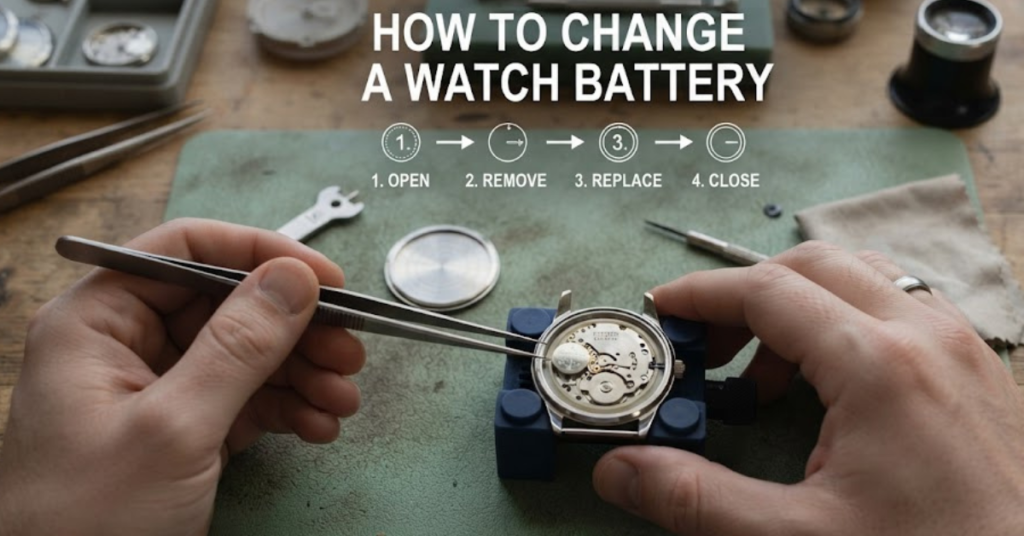

A dead watch battery has a funny way of showing up at the worst possible moment. One day your watch is keeping perfect time, and the next, it’s completely lifeless. The good news? In many cases, you don’t have to pay a jeweler for a simple battery replacement. If you’ve been wondering how to change a watch battery, this guide walks you through the process from start to finish. Whether you want to learn how to change a watch battery without tools or need instructions for how to change a watch battery with a screw back, you’ll find practical, easy-to-follow advice here.
By the end of this guide, you’ll know which watches you can safely open yourself, what tools work best, and when it’s smarter to leave the job to a professional.
Can You Change a Watch Battery Yourself?
Yes—but not every watch is designed for DIY battery replacement.
Many quartz watches have removable case backs that allow relatively easy battery access. However, luxury watches, diving watches, or expensive waterproof models often require specialized tools and resealing equipment to maintain water resistance.
You can usually replace the battery yourself if your watch:
- Uses a quartz movement
- Has a removable snap-back or screw-back case
- Is no longer under warranty
- Doesn’t require professional pressure testing afterward
If your watch is valuable or water-resistant to significant depths, professional servicing is usually worth the extra cost.
What You’ll Need
Before opening the watch, gather the following items:
- Replacement battery (matching the existing battery number)
- Soft microfiber cloth
- Small flat-head screwdriver or watch case opener
- Plastic tweezers (preferred over metal)
- Magnifying glass (optional)
- Small container for screws
- Finger cots or gloves (optional)
Working on a clean, well-lit table helps prevent losing tiny components.
Identify Your Watch Back
The first step in learning how to change a watch battery is identifying the type of case back.
Snap-Back Case
These have a small notch where a thin blade can gently pry the cover open.
Common on:
- Fashion watches
- Affordable quartz watches
- Casual everyday watches
Screw-Back Case
These feature several notches around the edge that require a case wrench or specialized opener.
Often found on:
- Sports watches
- Waterproof watches
- Dive watches
Screw-Down Plate
Some watches use four tiny screws to secure the back plate.
These are among the easiest to service using a precision screwdriver set.
How to Change a Watch Battery Step by Step
Follow these steps carefully.
Step 1: Prepare Your Workspace
Lay down a microfiber cloth to protect the watch crystal from scratches.
Keep pets, drinks, and clutter away from your workspace.
Step 2: Remove the Back Cover
The method depends on the watch design.
For a Snap-Back
Insert a thin case opener into the notch.
Twist gently until the back pops off.
Never force it aggressively, as excessive pressure may damage the case.
For a Screw-Back
If you’re learning how to change a watch battery with a screw back, use a proper watch case wrench.
- Align the wrench with the case notches.
- Turn counterclockwise.
- Lift off the case carefully.
Avoid using pliers, as they often scratch the metal.
For Screw-Down Covers
Remove each screw carefully.
Store them immediately in a small container to avoid losing them.
Step 3: Locate the Battery
You’ll usually see a small silver coin-cell battery secured by:
- A retaining clip
- A tiny screw
- A spring contact
Before removing it, note:
- Battery orientation
- Battery model number
- Position of retaining clips
Taking a quick smartphone photo can save frustration during reassembly.
Step 4: Remove the Old Battery
Using plastic tweezers:
- Lift the battery gently.
- Avoid touching electronic components.
- Don’t bend the retaining clip.
If a screw holds the battery in place, loosen it only enough to free the battery.
Step 5: Install the New Battery
Place the replacement battery in the exact same orientation.
Double-check:
- Positive (+) side
- Correct battery model
- Secure fit
A battery installed upside down won’t power the watch.
Step 6: Test the Watch
Before reinstalling the case back:
- Watch the second hand.
- Check the digital display if applicable.
- Wait about 30 seconds.
If the watch starts immediately, you’ve installed the battery correctly.
Step 7: Reattach the Case Back
Snap-back cases require even pressure.
Screw-back cases should be tightened firmly—but never overtightened.
If your watch has a rubber gasket, make sure it’s seated correctly before closing the case.
How to Change a Watch Battery Without Tools
Many people search for how to change a watch battery without tools, especially if they don’t own a watch repair kit.
While proper tools are always safest, you may be able to improvise carefully.
Possible household alternatives include:
- A sturdy guitar pick for certain snap-back cases
- A plastic card edge
- Fingernails (on some loose covers)
Avoid using:
- Kitchen knives
- Scissors
- Metal screwdrivers that are too large
- Pliers
These can scratch the case, slip unexpectedly, or even crack the crystal.
If the back doesn’t open easily, stop rather than forcing it.
How to Change a Watch Battery With a Screw Back
Screw-back watches need extra care because they’re designed for durability and water resistance.
Follow these best practices:
- Use the correct case wrench.
- Work on a non-slip surface.
- Turn slowly to prevent slipping.
- Keep the rubber gasket clean.
- Tighten evenly during reassembly.
If maintaining water resistance is important, consider having the watch professionally pressure-tested afterward.
Choosing the Correct Replacement Battery
Never guess the battery size.
Look for the number printed on the old battery.
Examples include:
- SR626SW
- CR2016
- SR920SW
- CR2025
- 377
- 364
Use the exact replacement or a manufacturer-approved equivalent.
Installing the wrong battery can damage the movement.
Common Mistakes to Avoid
Many first-time repairs fail because of simple errors.
Avoid these common mistakes:
- Touching the battery with bare, oily fingers
- Losing tiny screws
- Installing the battery upside down
- Damaging the gasket
- Scratching the movement
- Using excessive force
- Buying the wrong battery type
Patience matters more than speed.
When You Shouldn’t Replace the Battery Yourself
DIY isn’t always the best option.
Take the watch to a professional if it’s:
- A luxury timepiece
- A vintage collectible
- A certified dive watch
- Still under warranty
- Showing corrosion or battery leakage
- Not working even after battery replacement
Some watches require movement resets after battery installation.
Tips to Make Your Watch Battery Last Longer
You can’t stop a battery from eventually dying, but you can maximize its lifespan.
Helpful habits include:
- Store watches away from extreme temperatures.
- Replace leaking batteries immediately.
- Keep the watch clean and dry.
- Service waterproof seals periodically.
- Remove the battery if storing the watch for years.
Most quartz watch batteries last between 2 and 5 years, depending on the movement and features.
Signs Your Watch Battery Needs Replacing
A dead watch isn’t always the only clue.
Watch for these warning signs:
- Second hand jumping every few seconds
- Dim digital display
- Incorrect timekeeping
- Alarm or backlight becoming weak
- Watch stopping intermittently
Replacing the battery early can sometimes prevent leakage damage.
Frequently Asked Questions
Is it safe to change a watch battery yourself?
Yes, for many standard quartz watches. However, expensive or highly water-resistant watches are usually better serviced by a professional.
How long does it take to replace a watch battery?
For most watches, the process takes about 10 to 20 minutes once you have the correct battery and tools.
Can I change a watch battery without tools?
In some cases, yes. Certain snap-back watches can be opened carefully using plastic household items. However, using proper watch repair tools greatly reduces the risk of scratches or damage.
How do I change a watch battery with a screw back?
Use a watch case wrench to unscrew the back, replace the battery with the correct model, ensure the gasket is properly seated, and securely tighten the case again.
Why isn’t my watch working after replacing the battery?
Possible causes include:
- Incorrect battery orientation
- Wrong battery type
- Dirty battery contacts
- Internal movement damage
- A required movement reset
If the watch still doesn’t work after checking these issues, professional servicing is recommended.
How often should a watch battery be replaced?
Most quartz watch batteries last between 2 and 5 years, although high-drain features like alarms, chronographs, or backlighting may shorten battery life.
Conclusion
Learning how to change a watch battery is a useful skill that can save both time and money. With a little patience, the correct replacement battery, and careful handling, many standard quartz watches can be back on your wrist in just a few minutes.
Whether you’re figuring out how to change a watch battery without tools in a pinch or tackling how to change a watch battery with a screw back using the proper equipment, the key is to work slowly, protect the watch’s delicate components, and avoid forcing anything. If you ever feel uncertain—especially with valuable or waterproof watches—there’s no harm in letting a professional handle the repair.
For more watch care tips, battery replacement guides, and maintenance advice, explore our related articles and keep your favorite timepieces running accurately for years to come.